Drimuro: Streamline Your Next Presentation with This Template
Let’s be honest: building a presentation from scratch is a grind. You spend hours wrestling with text boxes, trying to align shapes, and searching for a color scheme that doesn’t look like it came from 1998. It’s a time-sink that pulls you away from the actual work of preparing your message. If you’ve ever stared at a blank PowerPoint slide feeling creatively drained, you know the pain. This is where a solid, versatile template changes the game, turning a tedious design task into a simple content-fill exercise. Enter Drimuro, a PowerPoint template designed to cut your prep time dramatically while making you look like a design pro.
A Clean Slate for Any Business Need
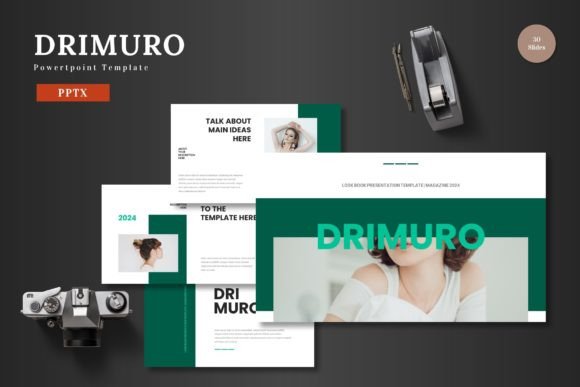
Drimuro isn’t just another generic slide deck. It’s built around a philosophy of clean, scalable design. Think of it as a professional framework for your ideas. The layouts are balanced and modern, avoiding clutter so your message can breathe. Whether you’re putting together a quarterly business review, a startup pitch deck to woo investors, or a product launch overview, the structure is already there. You get the polish of a custom-designed presentation without the custom-design price tag or timeline. The template provides 30 carefully crafted slides per color scheme, covering everything from title slides and team bios to data-heavy charts and project timelines.
The real value is in its adaptability. It’s not pigeonholed into one industry. A consultant can use it for a client proposal, a marketing manager for a campaign recap, and a freelancer for a project showcase. The design is intentionally multipurpose, acting as a neutral yet professional canvas. This means you’re not fighting the template’s style to fit your brand; you’re simply applying your brand to a well-organized structure.
Practical Design That Saves You Time
The features list is more than a spec sheet; it’s a list of problems solved. The inclusion of over 150 total slides across five premade color variations means you’re starting with serious depth. Need to present financials? There’s a slide for that. Want to highlight customer testimonials? Covered. Introducing your team? Done. This breadth eliminates the need to hunt for or create additional layouts mid-project.
One of the standout practical elements is the master slide system. Editing the master slides allows you to make global changes to fonts, colors, and logos in one go. Change your primary brand color in the master, and it updates across all 30 slides in that scheme. This is a massive time-saver and ensures absolute visual consistency—a cornerstone of professional branding. The pixel-perfect illustrations and handcrafted infographics are editable vector graphics. You can resize them without losing quality, change their colors to match your palette, or even repurpose elements for other projects like social media posts or website icons.
The drag-and-drop picture placeholders are another usability win. Instead of awkwardly cropping and resizing images into pre-set boxes, you simply drag your photo into the designated area, and it automatically scales to fit. This simple feature keeps your layouts looking sharp and intentional, even if you’re not a design expert.
From Slides to Broader Brand Assets
While Drimuro is a PowerPoint template, its utility extends far beyond the conference room projector. The clean, graphic-heavy slides are a goldmine for creating other brand materials. A well-designed slide can easily be exported as a high-resolution image and repurposed as a social media graphic for LinkedIn or Instagram. The infographic elements can be adapted for a blog post or a one-page PDF guide. The consistent color schemes and illustration style can inform the look of your website banners, email newsletter headers, or even printed flyers.
This approach promotes powerful visual consistency. When your presentation materials share the same color palette, illustration style, and typographic rhythm as your social media and website, it reinforces your brand identity. Your audience starts to recognize your visual language, which builds trust and professionalism. Drimuro acts as a central hub for this visual system, giving you a library of assets to draw from across your marketing materials.
Getting the Most Out of Your Template
To truly leverage a tool like Drimuro, a little strategy goes a long way. Start by defining your core message and audience before you even open the file. Are you persuading, informing, or educating? This will guide which of the 30 slides you select and how you arrange them. Don’t feel obligated to use all of them; a focused, 12-slide deck often has more impact than a meandering 30-slide one.
Next, make it yours. The first step is always to apply your brand’s color scheme and logo. Use the master slides for this. Then, focus on typography. While the template uses standard system fonts for compatibility, you can easily swap them for your brand’s fonts. Ensure your chosen fonts are highly readable, especially for body text and data labels. A beautiful font is useless if your audience squints to read it from the back of the room.
Finally, think about content hierarchy. Use the provided layouts to guide you. If a slide has a large placeholder for an image and a small text box, it’s likely meant for a powerful visual with a brief caption—not a paragraph of text. Trust the structure. Fill the placeholders with your best images and your most concise, impactful copy. This disciplined approach will result in a presentation that’s not only beautiful to look at but also clear and compelling to follow.