Streamline Your Presentations with the Gimora Google Slides Template
There is a specific kind of frustration that hits when you open a blank slide deck ten minutes before a meeting. The cursor blinks, the white space feels infinite, and suddenly, you spend more time trying to align text boxes than actually preparing your message. For entrepreneurs, marketers, and designers, the visual component of a pitch or a report is just as critical as the data itself, yet we often settle for generic layouts that don't reflect the quality of our work. This is where having a robust, pre-designed system changes the game. It isn't just about making things look pretty; it is about removing the friction between your ideas and their execution.
The Gimora - Google Slide Template enters the scene as more than just a collection of slides; it is a comprehensive design environment built for the modern business landscape. If you have ever struggled with maintaining visual consistency across a lengthy presentation or found yourself limited by the default shapes in standard software, you will appreciate the architectural thinking behind this template. It is designed to bridge the gap between high-end design and the accessibility of cloud-based tools, allowing you to create pixel-perfect presentations without ever leaving your browser.
A Design System Built for Versatility
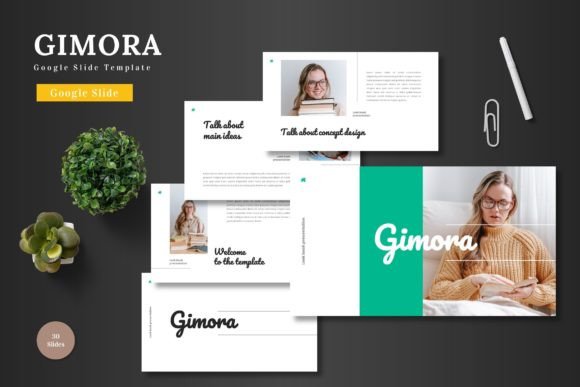
What immediately stands out about the Gimora template is its adaptability. We often think of presentation templates as rigid boxes—either too corporate and stiff, or too playful and unprofessional. Gimora navigates this by offering a "clean, scalable, colorful, and multipurpose" foundation. The layout philosophy relies on master slides, which is a technical way of saying that the design is structured and predictable. When you change a color or a font in one place, it ripples through the entire deck, ensuring that your brand identity remains intact from the introduction to the Q&A slide.
The visual appeal lies in its modern typography and handcrafted infographics. In an era where data visualization is key to storytelling, having access to graphics that are both resizable and editable is a massive asset. You aren't just pasting a static image of a chart; you are working with vectors that can be manipulated to match your specific data points. Whether you are a small business owner presenting quarterly growth to investors or a content creator outlining a strategy for a brand partnership, these visual tools help translate complex information into digestible, engaging content.
Practical Applications Beyond the Pitch Deck
While the primary use case for a slide template is obviously presentations, the utility of a high-quality asset like Gimora extends much further. Because all elements are editable directly within Google Slides, the platform becomes a lightweight design tool for various projects. Consider the entrepreneur who needs a quick one-page "lookbook" for a product launch. Instead of wrestling with complex design software, they can adapt a section break slide into a stylish layout for product photography.
Similarly, for those involved in e-commerce or product promotion, the template serves as a rapid prototyping tool. You can map out the flow of a landing page or plan the layout of an email newsletter using the grid structures provided. The "picture placeholder" feature, which utilizes a drag-and-drop mechanism, is particularly useful here. It allows you to visualize how your copy and imagery will interact with one another before you commit to coding a website or printing marketing materials. It turns the slide deck into a canvas for brainstorming, making it a versatile asset for web design and social media graphics planning.
Maintaining Brand Consistency and Professionalism
One of the biggest hurdles in visual communication is consistency. A disjointed presentation—where slide three has different fonts than slide ten, or the brand colors shift slightly between sections—can subconsciously signal a lack of attention to detail. The Gimora template solves this through its inclusion of five pre-made color schemes. These aren't random palettes; they are curated variations that allow you to instantly switch the mood of the presentation to match your specific brand identity.
Furthermore, the inclusion of section break slides is a subtle but powerful design choice. These slides act as visual palate cleansers, giving your audience a moment to pause and reset before the next chapter of your story. This improves information retention and keeps the viewer engaged. For designers and agencies, this structure is invaluable when creating client-facing documents. It provides a professional framework that elevates the perceived value of the content being presented, whether it is a marketing strategy, a financial report, or a creative brief.
Workflow Efficiency and Accessibility
The practicality of the Gimora template is anchored in its compatibility with Google Slides. Many premium templates require specific software or paid subscriptions to edit. By focusing on the Google ecosystem, this template democratizes high-end design. It allows teams to collaborate in real-time, a necessity in the current remote and hybrid work environments. You can have a designer setting up the structure, a copywriter inputting the text, and a stakeholder reviewing the flow, all within the same file simultaneously.
The "Readme First" file included with the package is a thoughtful addition that speaks to the user experience. It removes the guesswork regarding fonts and photo sources, ensuring that you can replicate the exact look of the preview if desired. This attention to detail saves time and prevents the common frustration of downloading a template only to find that the typography looks different because you are missing a specific typeface. It ensures that the transition from downloading the file to presenting the final product is as smooth as possible.
Final Thoughts on Visual Storytelling
In the crowded digital landscape, the way we present our ideas matters. The Gimora - Google Slide Template is not just a set of slides; it is a toolkit for better communication. It acknowledges that while content is king, the kingdom is built on how that content is delivered. By leveraging clean design, scalable graphics, and a user-friendly editing process, it empowers users to focus on what they do best—whether that is closing a sale, teaching a concept, or sharing a story. It transforms the mundane task of slide creation into an opportunity for professional expression.