Master Your Next Pitch: The Hilesa Keynote Template
You know the feeling. You have a brilliant idea, a product launch, or a quarterly report that needs to impress, but staring at a blank presentation canvas is paralyzing. The default templates feel tired, and building slides from scratch steals hours you don't have. This is where a tool like the Hilesa Keynote Template changes the game. It’s not just about having pretty slides; it’s about having a strategic framework that lets your content shine with professional polish. Think of it as your visual co-pilot, ready to transform your data and ideas into a compelling narrative.
A Visual Toolkit Built for Real-World Projects
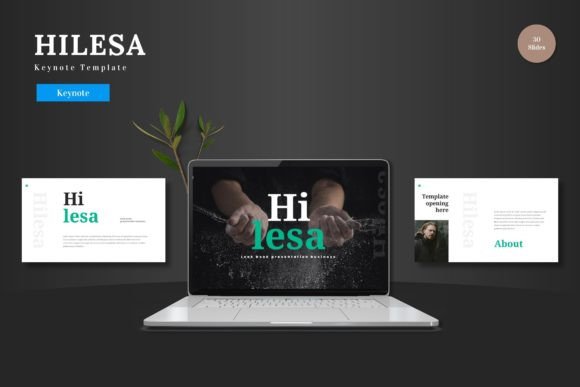
What sets Hilesa apart is its focus on practical, scalable design. With over 150 total slides across five premade color schemes, you’re not getting a one-trick pony. You’re getting a versatile library. Each of the five templates offers 30 meticulously crafted slides, covering everything from title sequences and section breaks to deep-dive content layouts. The inclusion of handcrafted infographics is a standout feature. Instead of fumbling with complex chart tools, you can present sales figures, project timelines, or process flows using clean, pre-built visual elements that are fully editable within Keynote itself. This means no switching between software or struggling with incompatible assets. Every shape, line, and icon is yours to resize, recolor, and reposition.
From Brand Consistency to Audience Engagement
For entrepreneurs and small business owners, maintaining a consistent brand identity across all touchpoints is non-negotiable. Hilesa facilitates this beautifully. The five color variations provide a starting point, but the real power lies in the master slide system. You can set your brand’s primary and secondary colors, choose your brand fonts, and apply these settings globally. This ensures every presentation you create—from an investor pitch to a client workshop—feels authentically "you." The pixel-perfect illustrations and scalable graphics mean your visuals remain crisp and professional, whether displayed on a laptop screen or projected in a large conference room. This consistency builds trust and recognition, making your business appear more established and reliable.
Beyond the Boardroom: Creative Applications
While perfect for business pitches and corporate reports, the clean, multipurpose nature of this Keynote template lends itself to a wider array of creative projects. Consider these possibilities:
- Visual Portfolios: Designers, photographers, and artists can use the gallery and portfolio slides to present their work in a structured, elegant manner that tells a story beyond a simple grid of images.
- Product Launches: E-commerce entrepreneurs can craft compelling product promotion decks. Use the placeholder images to showcase new merchandise, detail features with icon-based lists, and outline marketing strategies with clear timelines.
- Educational & Workshop Materials: Bloggers, coaches, and content creators can develop slide decks for online courses, webinars, or in-person workshops. The section breaks help organize content logically, keeping your audience engaged.
- Event Invitations & Announcements: For personal projects or community groups, the modern typography and clean layouts can be adapted to create stylish digital invitations or event itineraries that stand out.
Practical Tips for Getting the Most Out of Your Template
Having a powerful tool is one thing; using it effectively is another. Here’s some practical advice for integrating Hilesa into your workflow. First, start with your content, not the slides. Outline your key messages and narrative flow before you even open the file. This will help you choose the right slide layouts to support your story, rather than forcing your content into a pre-existing visual. Second, don’t be afraid to customize. The template is a starting point. Swap out the placeholder images with high-quality photos that reflect your brand’s aesthetic. Adjust the color scheme to match your exact brand palette. Experiment with font pairings—while the template uses standard fonts, you can easily apply your own brand fonts for headings and body text to enhance uniqueness. Finally, leverage the animated slides thoughtfully. Use subtle transitions and builds to emphasize key points, not to distract. The goal is to enhance comprehension, not to showcase effects.
Ensuring a Polished Final Product
Before you hit "present," take a moment to review your deck through your audience’s eyes. Check for visual consistency—are all your headings the same size and color? Is your alignment clean? Readability is paramount; ensure there is enough contrast between text and background and that your body text is large enough to be read from the back of a room. The Hilesa template’s clean design inherently supports this, but your content choices matter. Keep text concise on slides and use the speaker notes for your detailed talking points. This approach maintains audience focus on you and your message, with the slides serving as a powerful visual aid rather than a script.
Ultimately, the Hilesa Keynote Template is more than a collection of slides. It’s a design asset that saves time, elevates your professional image, and provides a flexible foundation for clear communication. Whether you’re securing funding, selling a product, or sharing knowledge, it helps you present your ideas with the clarity and confidence they deserve. The cheers at the end of your presentation will be well-earned.