Ceroma: A Modern Keynote Template for Dynamic Presentations
Creating a presentation that truly captures attention and communicates your message effectively can feel like a daunting task. You need a design that is both visually striking and functionally robust, one that doesn't require a graphic design degree to customize. This is where a well-crafted Keynote template becomes an invaluable asset, transforming your slides from a simple collection of bullet points into a cohesive, professional story. Enter Ceroma, a Keynote template designed for those who need to make an immediate impact without getting bogged down in complex software.
Understanding the Core of Ceroma's Appeal
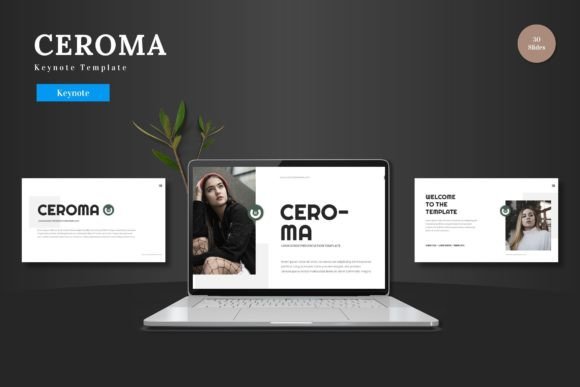
At its heart, Ceroma is built on the principles of clean, modern design. It eschews clutter for a structured aesthetic that feels both contemporary and timeless. The template’s visual language is defined by its scalability and color versatility. Every element, from charts and icons to text boxes, is a fully editable Keynote shape. This means you aren’t just inserting content into a static picture; you are working with native, flexible components that respond to your commands. The pixel-perfect illustrations ensure your infographics and diagrams look sharp on any screen, while the picture placeholders allow for a simple drag-and-drop workflow, letting you populate your slides with your own imagery in seconds.
The true power for a business owner or marketer lies in this editability. Imagine you're preparing a pitch deck for investors. With Ceroma, you can quickly adjust the color scheme to match your brand's exact hex codes, swap out placeholder images for product shots, and resize graphic elements to emphasize key data points. The master slide system ensures that any change you make to the overall style, like updating a font family, cascades through the entire presentation, guaranteeing visual consistency from the first slide to the last. This foundation of consistency is critical for building brand recognition during a presentation.
Practical Applications Across Your Brand Ecosystem
While a Keynote template is primarily for presentations, the design assets within Ceroma have utility that extends far beyond the conference room. The structured layouts and clean typography serve as a fantastic starting point for a variety of creative projects, helping you maintain a unified brand identity.
- Pitch Decks and Investor Presentations: The 30 pre-made slides per color template give you a logical flow for introducing your team, outlining the problem, presenting your solution, and showcasing financials. The section break slides provide natural pauses for discussion.
- Social Media Graphics and Digital Ads: Export individual slides or elements as high-resolution images. The clean, scalable graphics are perfect for creating Instagram carousels, Facebook ad banners, or LinkedIn post backgrounds that align with your presentation materials.
- Internal Reports and Team Alignment: Use the handcrafted infographics to visualize quarterly results, project timelines, or marketing campaign metrics in a way that is engaging and easy to understand for your team.
- Product Launches and E-commerce Overviews: The gallery and portfolio slides are ideal for showcasing new products, highlighting features, or displaying customer testimonials. The picture placeholders make it easy to create a visually rich narrative around your offerings.
- Webinar and Online Course Materials: Structure your educational content with clear section dividers. The consistent design helps reinforce your authority and makes the learning experience more professional for your audience.
Key Features That Streamline Your Workflow
Efficiency is a major benefit of using a template like Ceroma. Instead of spending hours designing slides from scratch, you can focus your energy on refining your message and strategy. The inclusion of 150+ total slides across five premade color schemes offers immediate variety and depth. Each color variation is thoughtfully curated, providing a distinct mood—whether you need the energy of a vibrant palette or the seriousness of a more subdued tone.
The fact that all editing happens within Keynote Slides itself is a significant advantage. There is no need to juggle multiple software applications. You can input your content directly, replace images by dragging them into placeholders, and change colors with a few clicks. This streamlined process is particularly beneficial for entrepreneurs and small business owners who wear many hats and need to produce polished materials quickly. The animated slides add a layer of polish, helping to guide your audience's focus during a live or virtual presentation without being overly distracting.
Integrating Ceroma into Your Design Process
When you begin working with the Ceroma Keynote template, consider it a flexible framework rather than a rigid mold. Start by selecting the color scheme that best aligns with your existing brand guidelines or the mood you wish to set. Then, use the master slides as your control center. Editing the master slide will update all associated slides, which is the most efficient way to establish your foundational style.
Next, populate the content. Replace the placeholder text with your own, but also think critically about the hierarchy. Use the bold headings for main points and the lighter body text for explanations. The provided infographic slides are not just decorative; use them to simplify complex data. For instance, transform a list of statistics into the provided bar chart or timeline graphic. This not only makes the information more digestible but also more memorable.
Finally, leverage the template's structure for storytelling. The 30 slides per template are designed to take your audience on a journey. Begin with an engaging title slide, use section breaks to introduce new topics, and conclude with a strong call-to-action or contact slide. By following this flow, you ensure your presentation has a logical progression that keeps viewers engaged from start to finish.
Ceroma offers a practical solution for anyone who needs to communicate ideas with clarity and style. It removes the technical barriers to creating professional presentations, allowing you to focus on what matters most: your message. Whether you are pitching a new venture, reporting on company progress, or educating an online audience, this template provides the tools to present your ideas with confidence and visual coherence. The included assets, from the resizable graphics to the animated elements, are designed to work together, helping you build a stronger, more recognizable brand presence with every slide you create.